Yep, we may get a tiny thank-you (read: commission) when you buy through
links on Autologr — not enough for a yacht, but enough to keep the lights (and
servers) on.
Learn more
Specs don’t lie. The Miofive S1 Ultra dash cam includes 140 features like general information, video & recording performance, camera & lens system & display & interface that separate winners from wannabes.
A fast snapshot of the Miofive S1 Ultra, covering its standout specification and what you can expect right out of the box.
Miofive S1 Ultra
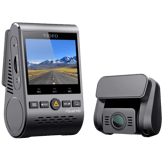
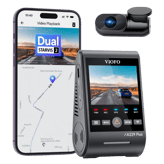
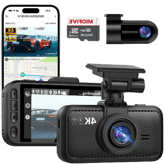
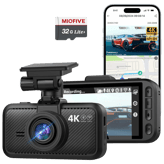
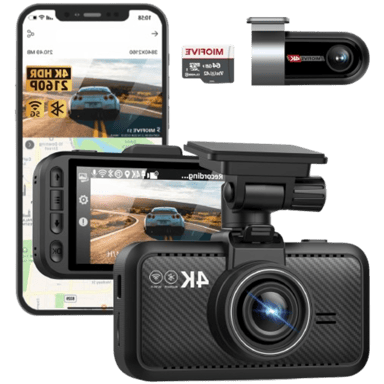
Miofive S1-Ultra is the ideal dash cam for all drivers who want extra protection for the front and rear of their cars. Interestingly, both cameras of this dash cam come with 4K Ultra HD resolution with super clear image results. Also, you will get a free 64GB microSD card.
Specifications & Facts
140
Specs measured. Drama avoided.
Performance is more than numbers. The Miofive S1 Ultra dash cam shows up with 140 details that matter — including general information, video & recording performance, camera & lens system & display & interface, pros, cons, and honest takes.
General Information
18
Miofive S1 Ultra
Device Type
What type of device is this?
0
Miofive S1 Ultra
0
Votes
Dash Cam
Dash Cam in this range
Who knows?
(Help us out by suggesting one!)
Miofive S1 Ultra
This product is classified as a dash cam, designed to record driving footage primarily for security and insurance purposes.
Defines the product category and primary function.
Don’t keep it to yourself — be the first to react and review the
Device Type on Miofive S1 Ultra
◉ and help others decide!
Miofive S1 Ultra
Camera Configuration
What camera configuration does it use?
0
Miofive S1 Ultra
0
Votes
Front + Rear
Dash Cam in this range
Who knows?
(Help us out by suggesting one!)
Miofive S1 Ultra
The camera configuration includes both front and rear cameras, suitable for full vehicle coverage during driving.
Indicates how many cameras and viewing angles are supported.
Don’t keep it to yourself — be the first to react and review the
Camera Configuration on Miofive S1 Ultra
◉ and help others decide!
Miofive S1 Ultra
Mounting Type
How is the dash cam mounted?
0
Miofive S1 Ultra
0
Votes
Windshield
Dash Cam in this range
Who knows?
(Help us out by suggesting one!)
Miofive S1 Ultra
The mounting type is windshield, which generally offers optimal field of view and stability.
Describes where and how the dash cam is mounted in the vehicle.
Don’t keep it to yourself — be the first to react and review the
Mounting Type on Miofive S1 Ultra
◉ and help others decide!
Miofive S1 Ultra
Intended Vehicle Type
What vehicles is it intended for?
0
Miofive S1 Ultra
0
Votes
Front Windshield
Dash Cam in this range
Who knows?
(Help us out by suggesting one!)
Miofive S1 Ultra
Intended for installation in the front windshield, optimizing the camera's view for driving and road monitoring.
Specifies the types of vehicles the dash cam is designed for.
Don’t keep it to yourself — be the first to react and review the
Intended Vehicle Type on Miofive S1 Ultra
◉ and help others decide!
Miofive S1 Ultra
Power Source Type
What is the power source?
0
Miofive S1 Ultra
0
Votes
Vehicle Power
Dash Cam in this range
Who knows?
(Help us out by suggesting one!)
Miofive S1 Ultra
Powered through the vehicle's electrical system, ensuring continuous operation while driving.
Identifies how the dash cam is powered.
Don’t keep it to yourself — be the first to react and review the
Power Source Type on Miofive S1 Ultra
◉ and help others decide!
Miofive S1 Ultra
Weather Resistance Rating
What weather resistance rating does it have?
0
Miofive S1 Ultra
0
Votes
Heat Resistant
Dash Cam in this range
Who knows?
(Help us out by suggesting one!)
Miofive S1 Ultra
The weather resistance rating is heat resistant, meaning the device can withstand high temperatures often experienced inside vehicles parked under direct sunlight.
Describes the device’s ability to withstand environmental conditions such as heat, cold, or humidity.
Don’t keep it to yourself — be the first to react and review the
Weather Resistance Rating on Miofive S1 Ultra
◉ and help others decide!
Miofive S1 Ultra
Target User Type
Who is this dash cam for?
0
Miofive S1 Ultra
0
Votes
Daily Driver, Security-Conscious User
Dash Cam in this range
Who knows?
(Help us out by suggesting one!)
Miofive S1 Ultra
Targeted mainly at daily drivers and security-conscious users, this dash cam provides features useful for everyday driving and safety monitoring.
Defines the primary user profile the dash cam is designed for.
Don’t keep it to yourself — be the first to react and review the
Target User Type on Miofive S1 Ultra
◉ and help others decide!
Miofive S1 Ultra
Modular Design
Does it have a modular design?
Yes
0Votes
Miofive S1 Ultra
Dash Cam in this range
Who knows?
(Help us out by suggesting one!)
Miofive S1 Ultra
The dash cam features a modular design, facilitating easier upgrades, repairs, or customization.
Specifies whether components can be added or replaced separately.
Don’t keep it to yourself — be the first to react and review the
Modular Design on Miofive S1 Ultra
◉ and help others decide!
Miofive S1 Ultra
Expandable Storage
Does it support expandable storage?
Yes
0Votes
Miofive S1 Ultra
Dash Cam in this range
Who knows?
(Help us out by suggesting one!)
Miofive S1 Ultra
Expandable storage is supported, allowing use of microSD cards to increase recording capacity.
Indicates whether storage capacity can be expanded.
Don’t keep it to yourself — be the first to react and review the
Expandable Storage on Miofive S1 Ultra
◉ and help others decide!
Miofive S1 Ultra
Release Year
What year was it released?
0
Miofive S1 Ultra
0
Votes
2024
Dash Cam in this range
Who knows?
(Help us out by suggesting one!)
Indicates the year the product model was released.
Don’t keep it to yourself — be the first to react and review the
Release Year on Miofive S1 Ultra
◉ and help others decide!
Miofive S1 Ultra
Storage Media Type
What storage media does it use?
0
Miofive S1 Ultra
0
Votes
microSD
Dash Cam in this range
Who knows?
(Help us out by suggesting one!)
Specifies the type of storage media used to record video footage.
Don’t keep it to yourself — be the first to react and review the
Storage Media Type on Miofive S1 Ultra
◉ and help others decide!
Miofive S1 Ultra
Installation Location
Where is the dash cam installed?
0
Miofive S1 Ultra
0
Votes
Front Windshield, Rear Windshield
Dash Cam in this range
Who knows?
(Help us out by suggesting one!)
Indicates the physical installation position inside the vehicle.
Don’t keep it to yourself — be the first to react and review the
Installation Location on Miofive S1 Ultra
◉ and help others decide!
Miofive S1 Ultra
Usage Mode
What is the intended usage mode?
0
Miofive S1 Ultra
0
Votes
Personal, Rideshare
Dash Cam in this range
Who knows?
(Help us out by suggesting one!)
Defines the primary usage scenario for the device.
Don’t keep it to yourself — be the first to react and review the
Usage Mode on Miofive S1 Ultra
◉ and help others decide!
Dash Cam in this range
Who knows?
(Help us out by suggesting one!)
Supports compliance with local recording and privacy laws.
Don’t keep it to yourself — be the first to react and review the
Legal Compliance Mode on Miofive S1 Ultra
◉ and help others decide!
Miofive S1 Ultra
Removable Unit
Is the dash cam removable?
No
0Votes
Miofive S1 Ultra
Dash Cam in this range
Who knows?
(Help us out by suggesting one!)
Indicates whether the main unit can be easily removed.
Don’t keep it to yourself — be the first to react and review the
Removable Unit on Miofive S1 Ultra
◉ and help others decide!
Miofive S1 Ultra
Operating Temperature Range
What temperature range does it support?
0
Miofive S1 Ultra
0
Votes
-4°F to 149°F
Dash Cam in this range
Who knows?
(Help us out by suggesting one!)
Defines the temperature range where the dash cam operates reliably.
Don’t keep it to yourself — be the first to react and review the
Operating Temperature Range on Miofive S1 Ultra
◉ and help others decide!
Video & Recording Performance
20
Miofive S1 Ultra
Front Frame Rate
What is the front camera frame rate?
30
Hz
0Votes
Dash Cam in this range
Who knows?
(Help us out by suggesting one!)
Miofive S1 Ultra
Front frame rate is 30 Hz, providing high-quality smooth video that effectively captures detailed motion on the road.
Measures how smoothly the front camera records motion.
Don’t keep it to yourself — be the first to react and review the
Front Frame Rate on Miofive S1 Ultra
◉ and help others decide!
Miofive S1 Ultra
Rear Frame Rate
What is the rear camera frame rate?
25
Hz
0Votes
Dash Cam in this range
Who knows?
(Help us out by suggesting one!)
Miofive S1 Ultra
The rear frame rate is 25 Hz, offering smooth video playback suitable for capturing motion clearly.
Indicates the rear camera’s recording smoothness.
Don’t keep it to yourself — be the first to react and review the
Rear Frame Rate on Miofive S1 Ultra
◉ and help others decide!
Miofive S1 Ultra
HDR
Does it support HDR?
Yes
0Votes
Miofive S1 Ultra
Dash Cam in this range
Who knows?
(Help us out by suggesting one!)
Miofive S1 Ultra
HDR (High Dynamic Range) improves video quality by balancing light and shadows, essential for high-contrast conditions like bright sunlight or tunnels.
Indicates support for High Dynamic Range video.
Don’t keep it to yourself — be the first to react and review the
HDR on Miofive S1 Ultra
◉ and help others decide!
Miofive S1 Ultra
Parking Recording Mode
Does it record while parked?
Yes
0Votes
Miofive S1 Ultra
Dash Cam in this range
Who knows?
(Help us out by suggesting one!)
Miofive S1 Ultra
Parking recording mode is available, allowing the dash cam to monitor the vehicle when parked for additional security.
Enables recording while the vehicle is parked.
Don’t keep it to yourself — be the first to react and review the
Parking Recording Mode on Miofive S1 Ultra
◉ and help others decide!
Miofive S1 Ultra
Audio Recording Disable Option
Can audio recording be disabled?
Yes
0Votes
Miofive S1 Ultra
Dash Cam in this range
Who knows?
(Help us out by suggesting one!)
Miofive S1 Ultra
An option to disable audio recording is provided, which is useful for privacy considerations in certain jurisdictions.
Allows users to turn off audio recording.
Don’t keep it to yourself — be the first to react and review the
Audio Recording Disable Option on Miofive S1 Ultra
◉ and help others decide!
Miofive S1 Ultra
Front Camera Resolution
What is the front camera resolution?
0
Miofive S1 Ultra
0
Votes
4K
Dash Cam in this range
Who knows?
(Help us out by suggesting one!)
Miofive S1 Ultra
Front camera resolution is 4K, providing ultra-high definition video that enhances detail and evidence quality.
Specifies the video resolution of the front-facing camera.
Don’t keep it to yourself — be the first to react and review the
Front Camera Resolution on Miofive S1 Ultra
◉ and help others decide!
Miofive S1 Ultra
Rear Camera Resolution
What is the rear camera resolution?
0
Miofive S1 Ultra
0
Votes
4K
Dash Cam in this range
Who knows?
(Help us out by suggesting one!)
Miofive S1 Ultra
Rear camera resolution is also 4K, matching the front and ensuring high-definition coverage from both perspectives.
Indicates the resolution of the rear-facing camera.
Don’t keep it to yourself — be the first to react and review the
Rear Camera Resolution on Miofive S1 Ultra
◉ and help others decide!
Miofive S1 Ultra
Night Vision Mode
Does it have night vision?
Yes
0Votes
Miofive S1 Ultra
Dash Cam in this range
Who knows?
(Help us out by suggesting one!)
Miofive S1 Ultra
Night vision mode is supported, enabling the camera to record clearer images in low-light conditions for improved nighttime security.
Enables improved recording in low-light conditions.
Don’t keep it to yourself — be the first to react and review the
Night Vision Mode on Miofive S1 Ultra
◉ and help others decide!
Miofive S1 Ultra
Low-Light Enhancement
Is low-light enhanced?
Yes
0Votes
Miofive S1 Ultra
Dash Cam in this range
Who knows?
(Help us out by suggesting one!)
Miofive S1 Ultra
Low-light enhancement technology is utilized to improve video clarity in dim environments, enhancing overall recording effectiveness.
Improves video clarity in dark environments.
Don’t keep it to yourself — be the first to react and review the
Low-Light Enhancement on Miofive S1 Ultra
◉ and help others decide!
Miofive S1 Ultra
Loop Recording
Does it support loop recording?
Yes
0Votes
Miofive S1 Ultra
Dash Cam in this range
Who knows?
(Help us out by suggesting one!)
Miofive S1 Ultra
Loop recording is enabled, which means the dash cam continuously records by overwriting the oldest files when storage is full.
Automatically overwrites old footage when storage is full.
Don’t keep it to yourself — be the first to react and review the
Loop Recording on Miofive S1 Ultra
◉ and help others decide!
Miofive S1 Ultra
Emergency Recording
Is emergency recording supported?
Yes
0Votes
Miofive S1 Ultra
Dash Cam in this range
Who knows?
(Help us out by suggesting one!)
Miofive S1 Ultra
Emergency recording is supported, meaning the device can automatically save footage during critical incidents, providing reliable evidence when needed.
Locks footage during detected incidents.
Don’t keep it to yourself — be the first to react and review the
Emergency Recording on Miofive S1 Ultra
◉ and help others decide!
Miofive S1 Ultra
Continuous Recording
Can it record continuously?
Yes
0Votes
Miofive S1 Ultra
Dash Cam in this range
Who knows?
(Help us out by suggesting one!)
Miofive S1 Ultra
Continuous recording support guarantees that the dash cam records non-stop while powered.
Indicates support for uninterrupted recording sessions.
Don’t keep it to yourself — be the first to react and review the
Continuous Recording on Miofive S1 Ultra
◉ and help others decide!
Miofive S1 Ultra
Dual Recording
Does it support dual recording?
Yes
0Votes
Miofive S1 Ultra
Dash Cam in this range
Who knows?
(Help us out by suggesting one!)
Miofive S1 Ultra
Dual recording is supported, allowing simultaneous capture from front and rear cameras for comprehensive coverage.
Allows simultaneous front and rear recording.
Don’t keep it to yourself — be the first to react and review the
Dual Recording on Miofive S1 Ultra
◉ and help others decide!
Miofive S1 Ultra
Audio Recording
Does it record audio?
Yes
0Votes
Miofive S1 Ultra
Dash Cam in this range
Who knows?
(Help us out by suggesting one!)
Miofive S1 Ultra
Audio recording capability is active, allowing voice and environmental sounds to be captured along with video, enhancing context for incidents.
Captures in-cabin audio alongside video.
Don’t keep it to yourself — be the first to react and review the
Audio Recording on Miofive S1 Ultra
◉ and help others decide!
Miofive S1 Ultra
Video Codec
What video codec is used?
0
Miofive S1 Ultra
0
Votes
H.264, H.265
Dash Cam in this range
Who knows?
(Help us out by suggesting one!)
Defines the compression format used for video files.
Don’t keep it to yourself — be the first to react and review the
Video Codec on Miofive S1 Ultra
◉ and help others decide!
Miofive S1 Ultra
WDR
Does it support WDR?
Yes
0Votes
Miofive S1 Ultra
Dash Cam in this range
Who knows?
(Help us out by suggesting one!)
Enhances visibility in mixed lighting conditions.
Don’t keep it to yourself — be the first to react and review the
WDR on Miofive S1 Ultra
◉ and help others decide!
Miofive S1 Ultra
Infrared Night Vision
Does it support infrared night vision?
No
0Votes
Miofive S1 Ultra
Dash Cam in this range
Who knows?
(Help us out by suggesting one!)
Uses infrared LEDs for interior or low-light recording.
Don’t keep it to yourself — be the first to react and review the
Infrared Night Vision on Miofive S1 Ultra
◉ and help others decide!
Miofive S1 Ultra
Event Video Length
How long are event recordings?
0
Miofive S1 Ultra
0
Votes
30 Seconds Before and After Event
Dash Cam in this range
Who knows?
(Help us out by suggesting one!)
Defines the duration of automatically saved event recordings.
Don’t keep it to yourself — be the first to react and review the
Event Video Length on Miofive S1 Ultra
◉ and help others decide!
Miofive S1 Ultra
Triple Channel Recording
Does it support triple recording?
No
0Votes
Miofive S1 Ultra
Dash Cam in this range
Who knows?
(Help us out by suggesting one!)
Supports front, rear, and interior recording together.
Don’t keep it to yourself — be the first to react and review the
Triple Channel Recording on Miofive S1 Ultra
◉ and help others decide!
Miofive S1 Ultra
Time-Lapse Recording
Is time-lapse recording available?
Yes
0Votes
Miofive S1 Ultra
Dash Cam in this range
Who knows?
(Help us out by suggesting one!)
Captures frames at intervals to save storage.
Don’t keep it to yourself — be the first to react and review the
Time-Lapse Recording on Miofive S1 Ultra
◉ and help others decide!
Camera & Lens System
14
Miofive S1 Ultra
Front Lens Field of View
What is the front lens field of view?
140
degree
0Votes
Dash Cam in this range
Who knows?
(Help us out by suggesting one!)
Miofive S1 Ultra
The front lens field of view is a wide 140 degrees, which captures a broad view of the road ahead for comprehensive evidence collection.
Indicates how wide the front camera can capture the road.
Don’t keep it to yourself — be the first to react and review the
Front Lens Field of View on Miofive S1 Ultra
◉ and help others decide!
Miofive S1 Ultra
Rear Lens Field of View
What is the rear lens field of view?
115
degree
0Votes
Dash Cam in this range
Who knows?
(Help us out by suggesting one!)
Miofive S1 Ultra
Rear lens field of view is 115 degrees, wide enough to capture a substantial portion of the rear surroundings.
Defines the viewing angle of the rear-facing lens.
Don’t keep it to yourself — be the first to react and review the
Rear Lens Field of View on Miofive S1 Ultra
◉ and help others decide!
Miofive S1 Ultra
Lens Aperture
What is the lens aperture?
0
Miofive S1 Ultra
0
Votes
f/1.8
Dash Cam in this range
Who knows?
(Help us out by suggesting one!)
Miofive S1 Ultra
The lens aperture is f/1.8, allowing more light to enter the sensor for better low-light performance and clearer images at night.
Describes the lens opening size affecting low-light performance.
Don’t keep it to yourself — be the first to react and review the
Lens Aperture on Miofive S1 Ultra
◉ and help others decide!
Miofive S1 Ultra
Adjustable Lens Angle
Is the lens angle adjustable?
Yes
0Votes
Miofive S1 Ultra
Dash Cam in this range
Who knows?
(Help us out by suggesting one!)
Miofive S1 Ultra
Adjustable lens angle allows tailoring the camera field of view to specific mounting positions or driver preferences.
Indicates whether the lens angle can be manually adjusted.
Don’t keep it to yourself — be the first to react and review the
Adjustable Lens Angle on Miofive S1 Ultra
◉ and help others decide!
Miofive S1 Ultra
Distortion Correction
Does it correct lens distortion?
Yes
0Votes
Miofive S1 Ultra
Dash Cam in this range
Who knows?
(Help us out by suggesting one!)
Miofive S1 Ultra
Distortion correction is included, helping to reduce fisheye and lens distortion effects in recorded videos for clearer footage.
Reduces fisheye or edge distortion in wide-angle footage.
Don’t keep it to yourself — be the first to react and review the
Distortion Correction on Miofive S1 Ultra
◉ and help others decide!
Miofive S1 Ultra
Sensor Type
What sensor type is used?
0
Miofive S1 Ultra
0
Votes
CMOS
Dash Cam in this range
Who knows?
(Help us out by suggesting one!)
Miofive S1 Ultra
Equipped with a CMOS sensor, which typically offers good image quality with efficient power consumption.
Identifies the imaging sensor technology used.
Don’t keep it to yourself — be the first to react and review the
Sensor Type on Miofive S1 Ultra
◉ and help others decide!
Miofive S1 Ultra
Image Stabilization
Is image stabilization supported?
No
0Votes
Miofive S1 Ultra
Dash Cam in this range
Who knows?
(Help us out by suggesting one!)
Miofive S1 Ultra
Image stabilization is not included, so footage may be more susceptible to shakiness on rough roads.
Helps reduce shake and vibration in recorded footage.
Don’t keep it to yourself — be the first to react and review the
Image Stabilization on Miofive S1 Ultra
◉ and help others decide!
Miofive S1 Ultra
Lens Element Count
How many lens elements are used?
0
Miofive S1 Ultra
0
Votes
6-layer
Dash Cam in this range
Who knows?
(Help us out by suggesting one!)
Indicates how many glass elements make up the lens.
Don’t keep it to yourself — be the first to react and review the
Lens Element Count on Miofive S1 Ultra
◉ and help others decide!
Miofive S1 Ultra
Lens Type
What type of lens is used?
0
Miofive S1 Ultra
0
Votes
Glass
Dash Cam in this range
Who knows?
(Help us out by suggesting one!)
Specifies the material and construction of the lens.
Don’t keep it to yourself — be the first to react and review the
Lens Type on Miofive S1 Ultra
◉ and help others decide!
Miofive S1 Ultra
Focus Type
What focus type does it use?
0
Miofive S1 Ultra
0
Votes
Fixed
Dash Cam in this range
Who knows?
(Help us out by suggesting one!)
Describes how the camera focuses on objects.
Don’t keep it to yourself — be the first to react and review the
Focus Type on Miofive S1 Ultra
◉ and help others decide!
Miofive S1 Ultra
Anti-Glare Coating
Does it have anti-glare coating?
Yes
0Votes
Miofive S1 Ultra
Dash Cam in this range
Who knows?
(Help us out by suggesting one!)
Minimizes reflections and glare on the lens surface.
Don’t keep it to yourself — be the first to react and review the
Anti-Glare Coating on Miofive S1 Ultra
◉ and help others decide!
Miofive S1 Ultra
Polarizing Filter
Does it support a polarizing filter?
No
0Votes
Miofive S1 Ultra
Dash Cam in this range
Who knows?
(Help us out by suggesting one!)
Supports optional CPL filters to reduce reflections.
Don’t keep it to yourself — be the first to react and review the
Polarizing Filter on Miofive S1 Ultra
◉ and help others decide!
Miofive S1 Ultra
Front Sensor Model
What is the front sensor model?
0
Miofive S1 Ultra
0
Votes
Sony STARVIS IMX415
Dash Cam in this range
Who knows?
(Help us out by suggesting one!)
Specifies the image sensor model used for the front camera.
Don’t keep it to yourself — be the first to react and review the
Front Sensor Model on Miofive S1 Ultra
◉ and help others decide!
Miofive S1 Ultra
Rear Sensor Model
What is the rear sensor model?
0
Miofive S1 Ultra
0
Votes
Sony STARVIS IMX415
Dash Cam in this range
Who knows?
(Help us out by suggesting one!)
Indicates the image sensor model for the rear camera.
Don’t keep it to yourself — be the first to react and review the
Rear Sensor Model on Miofive S1 Ultra
◉ and help others decide!
Display & Interface
10
Miofive S1 Ultra
Display Size
What is the display size?
3
inch
0Votes
Dash Cam in this range
Who knows?
(Help us out by suggesting one!)
Miofive S1 Ultra
Featuring a 3 inch display, the dash cam provides sufficient screen size for easy live viewing and playback of recordings.
Measures the diagonal size of the built-in screen.
Don’t keep it to yourself — be the first to react and review the
Display Size on Miofive S1 Ultra
◉ and help others decide!
Miofive S1 Ultra
Physical Control Buttons
Does it have physical buttons?
Yes
0Votes
Miofive S1 Ultra
Dash Cam in this range
Who knows?
(Help us out by suggesting one!)
Miofive S1 Ultra
Physical control buttons provide tactile input options for easier control while driving without relying solely on touchscreen or app interfaces.
Indicates presence of tactile buttons for control.
Don’t keep it to yourself — be the first to react and review the
Physical Control Buttons on Miofive S1 Ultra
◉ and help others decide!
Miofive S1 Ultra
Voice Prompt
Are voice prompts supported?
Yes
0Votes
Miofive S1 Ultra
Dash Cam in this range
Who knows?
(Help us out by suggesting one!)
Miofive S1 Ultra
Voice prompt capability offers audible feedback or alerts to enhance interaction and operational awareness.
Provides spoken alerts and system notifications.
Don’t keep it to yourself — be the first to react and review the
Voice Prompt on Miofive S1 Ultra
◉ and help others decide!
Miofive S1 Ultra
Display Type
What type of display does it use?
0
Miofive S1 Ultra
0
Votes
IPS
Dash Cam in this range
Who knows?
(Help us out by suggesting one!)
Describes the screen technology used.
Don’t keep it to yourself — be the first to react and review the
Display Type on Miofive S1 Ultra
◉ and help others decide!
Miofive S1 Ultra
Screen Rotation
Does the screen rotate automatically?
No
0Votes
Miofive S1 Ultra
Dash Cam in this range
Who knows?
(Help us out by suggesting one!)
Allows the display to rotate based on mounting orientation.
Don’t keep it to yourself — be the first to react and review the
Screen Rotation on Miofive S1 Ultra
◉ and help others decide!
Miofive S1 Ultra
Built-in Display
Does it have a built-in display?
No
0Votes
Miofive S1 Ultra
Dash Cam in this range
Who knows?
(Help us out by suggesting one!)
Indicates whether the dash cam includes an integrated screen.
Don’t keep it to yourself — be the first to react and review the
Built-in Display on Miofive S1 Ultra
◉ and help others decide!
Miofive S1 Ultra
Touchscreen
Is the display touchscreen-enabled?
No
0Votes
Miofive S1 Ultra
Dash Cam in this range
Who knows?
(Help us out by suggesting one!)
Indicates whether the screen supports touch input.
Don’t keep it to yourself — be the first to react and review the
Touchscreen on Miofive S1 Ultra
◉ and help others decide!
Miofive S1 Ultra
Status LED Indicators
Are status LEDs included?
Yes
0Votes
Miofive S1 Ultra
Dash Cam in this range
Who knows?
(Help us out by suggesting one!)
Uses LED lights to show recording or system status.
Don’t keep it to yourself — be the first to react and review the
Status LED Indicators on Miofive S1 Ultra
◉ and help others decide!
Miofive S1 Ultra
Voice Control
Does it support voice control?
No
0Votes
Miofive S1 Ultra
Dash Cam in this range
Who knows?
(Help us out by suggesting one!)
Allows hands-free control using voice commands.
Don’t keep it to yourself — be the first to react and review the
Voice Control on Miofive S1 Ultra
◉ and help others decide!
 Supermod
 Moderator


 0
Cartling
0
Cartling